Blog
Why Your Logo Might Not Work as a Custom Patch (And What to Do About It)

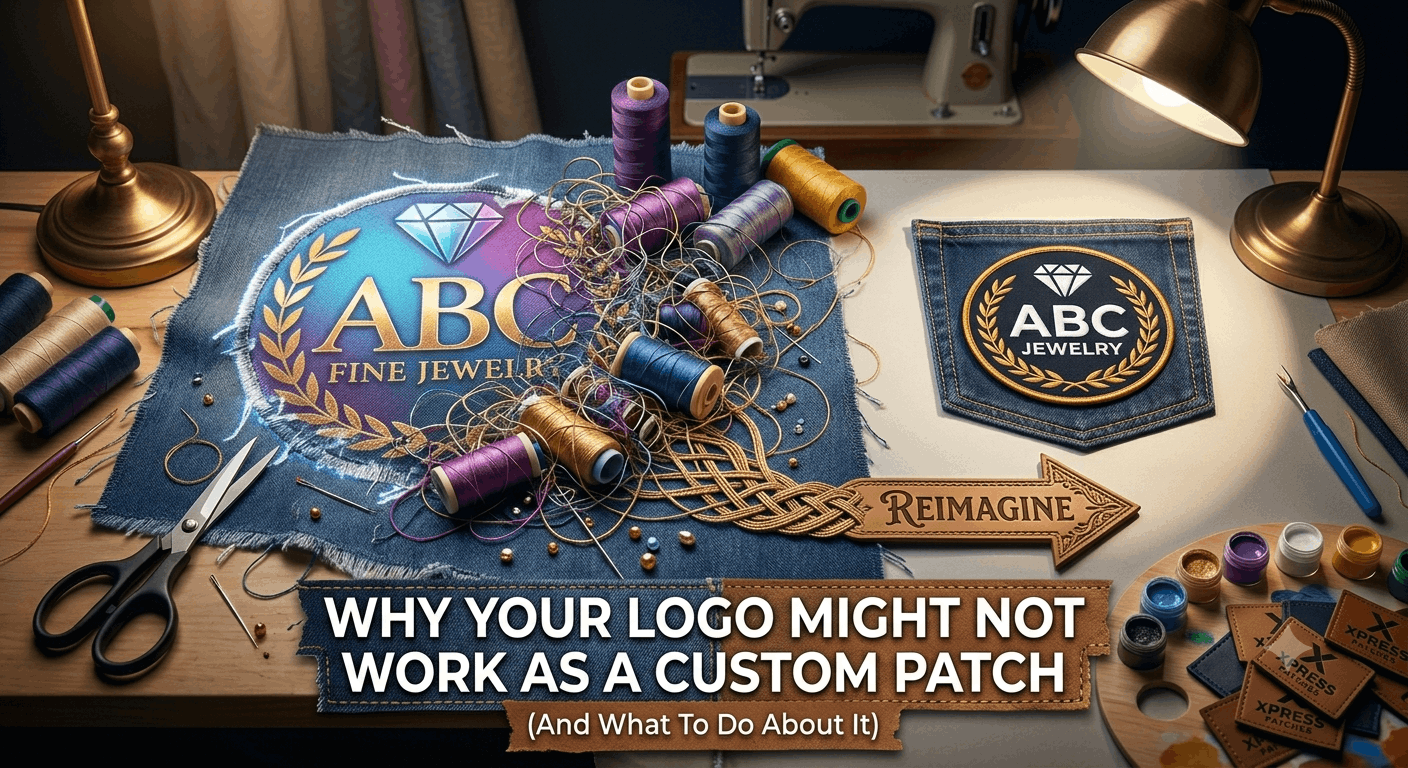
A logo for custom patch production rarely looks exactly like the file you sent over. You send your logo, expecting a patch that matches it pixel for pixel. Then a question comes back: can we simplify the gradient, or can we adjust the small text. This catches a lot of first-time buyers off guard. It is one of the least explained parts of placing a patch order.
The honest answer is that not every logo translates directly into a patch. Knowing why ahead of time saves you a round of back-and-forth. This is not a sales pitch for simpler logos, though. Instead, it explains what thread, vinyl, and printed ink can do. You will know what to expect before you submit your design.
Why a Gradient Logo for Custom Patch Production Gets Tricky
A gradient on screen is a smooth blend between two colors, but thread cannot do that. Each strand has one fixed color. To fake a gradient, a digitizer overlaps rows of two thread colors. The density of each one gradually changes, so the eye blends them from a distance. This works, but only in areas wider than about an inch. Try to gradient a half-inch-wide stripe and it reads as a smudge instead of a fade.
An accent gradient usually shifts to a single solid color close to the midpoint. A printed patch becomes the better fit for a logo for custom patch use when the gradient is the main visual feature, though. Dye-sublimation printing handles smooth color transitions the way a printer does, not the way a sewing machine does. As Embroidery.com’s guide to embroidery basics explains, thread-based stitching works best with flat color fields rather than continuous tone, which is exactly why gradients need this kind of workaround.
Why Small Text in a Logo Gets Blurry on a Patch
Thread has width, and that width is the whole issue here. A single stitch measures roughly 0.04 to 0.08 inches thick, depending on fabric and stitch type. Once your letter strokes get close to that width, the thread stops looking like a letter. It starts looking like a blob instead. Your logo might read perfectly on a business card, yet turn into a smear at 2 inches.
As a rough guide, letters need to be at least a quarter inch tall to stay legible in embroidery. Two things help below that size: a bolder, blockier font, or a switch to a woven patch. Woven patches use finer thread and hold detail at roughly half the size embroidery needs.
Why Photos Rarely Work as a Logo for Custom Patch Designs
A photo has thousands of color variations and soft, irregular edges. That is exactly what embroidery struggles with. Embroidery works in discrete blocks of solid thread color. Most designs cap out at 6 to 8 colors before things get muddy. The stitch count also climbs past a practical limit. An embroidered photo usually produces something that vaguely resembles the original, but loses the fine shading that made it recognizable.
Skip embroidery entirely if a photographic image sits at the center of your design. The same goes for detailed illustrations or anything with more than 8 to 10 colors. A printed patch handles exactly this case, and it keeps every bit of detail intact.
How Many Colors Can Actually Go Into a Patch?
This varies by patch type. It is worth knowing before you finalize a design.
- Embroidered patches: 4 to 8 thread colors hits the practical sweet spot. More than that raises cost and risks a cluttered look at small sizes.
- Woven patches: a similar range to embroidery, though finer thread handles transitions between adjacent colors a bit more cleanly.
- PVC patches: the mold carries color rather than thread, so more colors work fine without the same density concerns, though fine gradients stay difficult.
- Printed patches: effectively unlimited colors, since the printer reproduces the design directly rather than building it from thread or mold.
What a Simplified Logo Actually Looks Like
Simplifying a logo for embroidery does not mean making it look cheap or generic. Instead, it usually means a handful of small, targeted changes. The digitizer thickens a thin line so it survives stitching. They swap a two-tone gradient for the dominant solid color. They nudge small text up to a readable size. These changes stay subtle. Nobody but the designer usually notices them on the finished patch.
The goal is not to compromise your brand. Rather, a logo for custom patch production simply needs translating into a different medium. Your website logo sometimes needs adjusting before it goes on a billboard, too.
You Don’t Have to Figure This Out Yourself
Here is the part that gets lost in most explanations of embroidery limitations. You are not expected to pre-edit your own logo before sending it in. Send your logo to Xpress Patches exactly as it is, in whatever file you already have. The design team handles any adjustments needed for the patch type you choose. They show you the result in your free digital mock-up within 24 hours, at no extra charge.
Mention it if you are unsure which patch type suits your specific logo for custom patch use. A recommendation comes back with the mock-up. Because there is no minimum order, a single sample patch works fine. It lets you test exactly how your logo translates before committing to a larger run.
Frequently Asked Questions
Why can’t my logo for custom patch production look exactly like my file?
Embroidery uses thread, not ink. Thread cannot fade smoothly between colors, so a digitizer approximates gradients with blocks of color instead. Very thin lines and small text under a quarter inch tall can also blur together once stitched. Most logos need small adjustments, not a full redesign, to translate well into thread.
Can a photo be used as a logo for a custom patch?
Not as embroidery. Photos have too many colors and soft transitions for thread to reproduce well. A printed patch uses dye-sublimation rather than thread. It reproduces a photo accurately because it works more like ink on fabric.
How many colors can a custom patch have?
Embroidered and woven patches typically work best with 4 to 8 thread colors. PVC patches handle slightly more because the mold carries color rather than thread. Printed patches have no practical color limit since the printer handles full-color dye-sublimation directly.
Do I need to fix my logo myself before ordering a patch?
No. Xpress Patches includes logo simplification for custom patch production free with every order. Send your logo as it is, and the design team will advise on any changes needed before producing your free mock-up.
Send Us Your Logo and Find Out What Works
The only way to know for certain how your specific logo for custom patch production will translate is to see it as a mock-up. That mock-up is free at Xpress Patches, and it takes 24 hours. It comes with honest feedback if your design needs a small adjustment for the patch type you want.